
Home / Documentation / Working with jobs
Understand the Jobs table, retries and the details popup.
Jobs lists every background task - backups, sends, imports, exports and restores - with a number, destination/source, who started it, progress and status. The Send, Export and Import pages show the same table filtered to their kind.
In the console: /jobs

Jobs page with mixed job types
Completed is green, Failed red, Cancelled grey, Retrying orange with a countdown, and Restarted (orange) when a Retry created a new job - the new job number is shown.
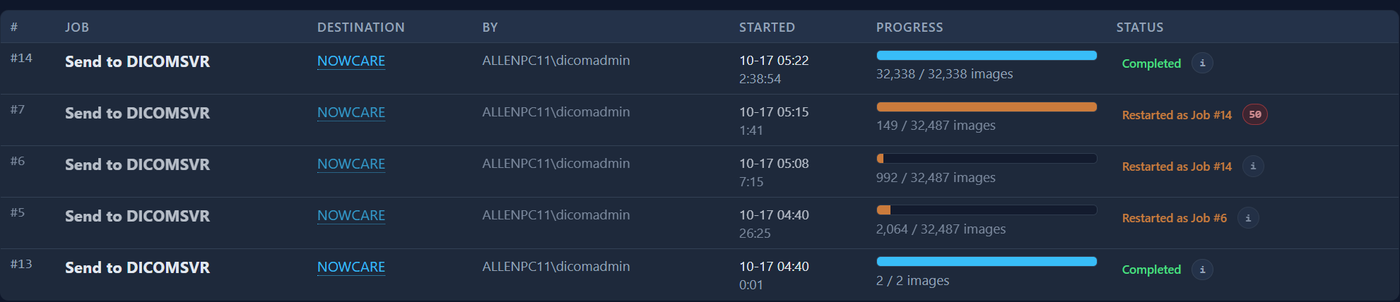
Status column with several states
Click the ⓘ badge (it turns red with a count when there are errors) or the destination link to open the job popup: full status, timing, attempt count and every error in a table.
In the console: /jobs
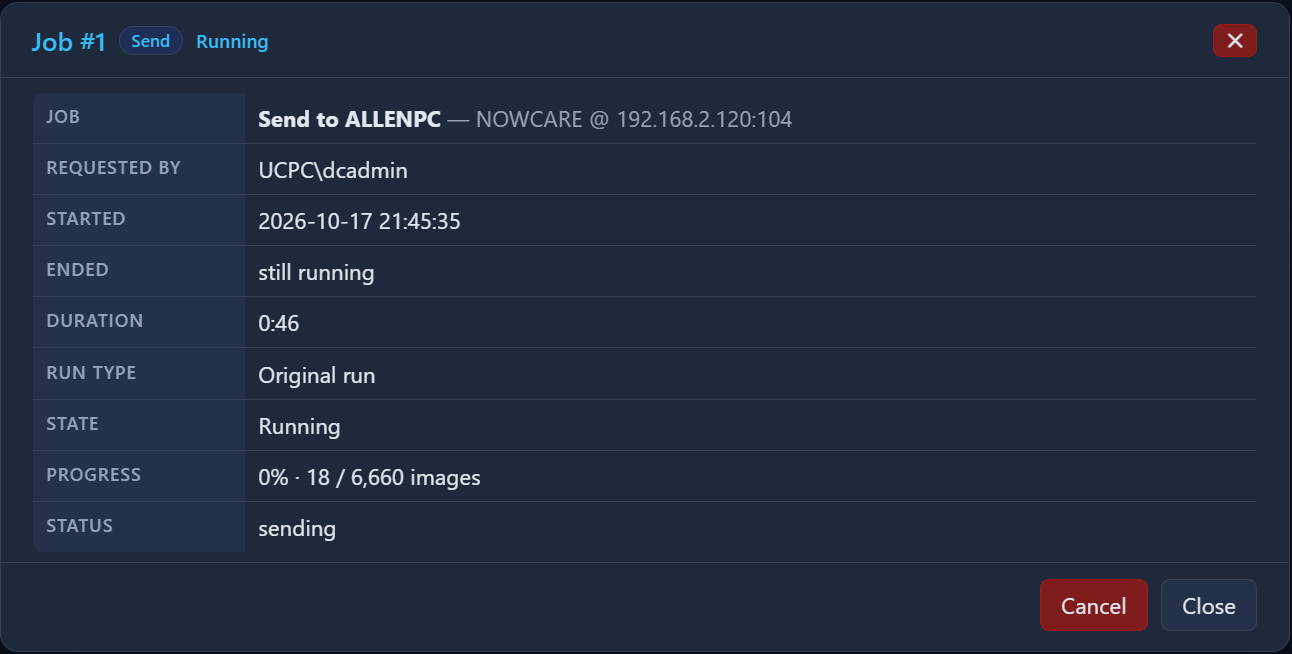
Job details popup
Running jobs have Cancel; failed ones have Retry. Pressing Retry while a retry is already running shows a notice instead of starting a duplicate.

Retry and Cancel buttons on job rows
Settings → Bandwidth & sending → 'Automatic job retries' sets how often a failed job is retried and for how long before it is reported as failed; the hint shows how many retries that gives.
In the console: /settings/bandwidth

Automatic job retries settings