
Home / Documentation / Receiving images from a modality or PACS
Register the sender, point it at this server and verify the first transfer.
Open the Dashboard. The first card shows the AE title and the DICOM port (and TLS port if enabled). Modalities must use this exact AE title as the Called AE.
In the console: /

Dashboard with the AE title / port card
Go to Settings → Remote nodes and press Add. Enter a friendly name, the device's AE title, its IP or host name and its DICOM port. Save.
In the console: /settings/nodes
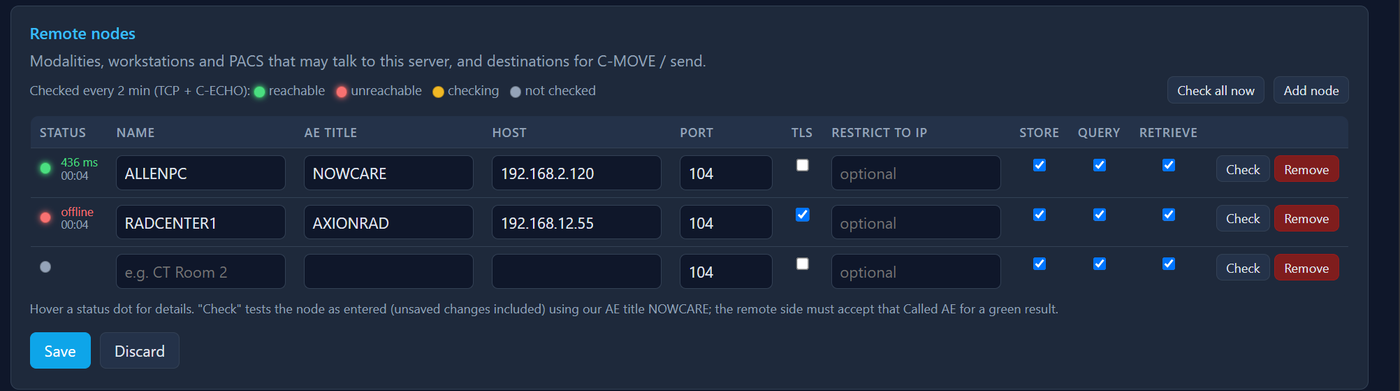
Remote nodes page with the Add form filled in
On the modality or sending PACS, add a destination with this server's AE title, IP address and port. Run a C-ECHO (verification) from the device - it should succeed.
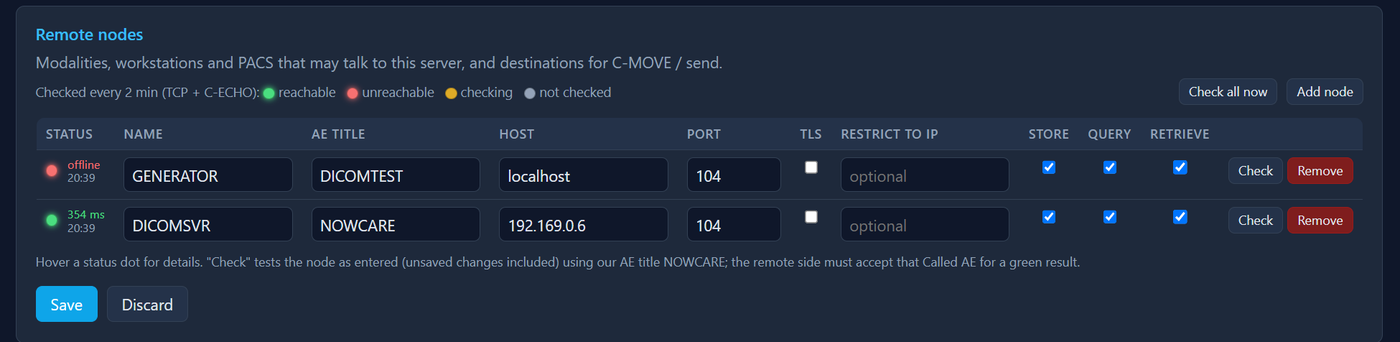
Example: another TekVault PACS's Remote nodes page pointing at this server (AE NOWCARE, its IP, port 104). Vendor consoles ask for the same three values.
Send one study. On the Dashboard, Live transfers shows the association and image count while it runs; it then appears under Recent transfers as Transfer complete.
In the console: /

Dashboard live transfer in progress
Open Audit Log → Connections. Every rejected association lists the reason - unknown AE title, wrong called AE, or the sender not in the node list. Fix the node entry and try again.
In the console: /audit
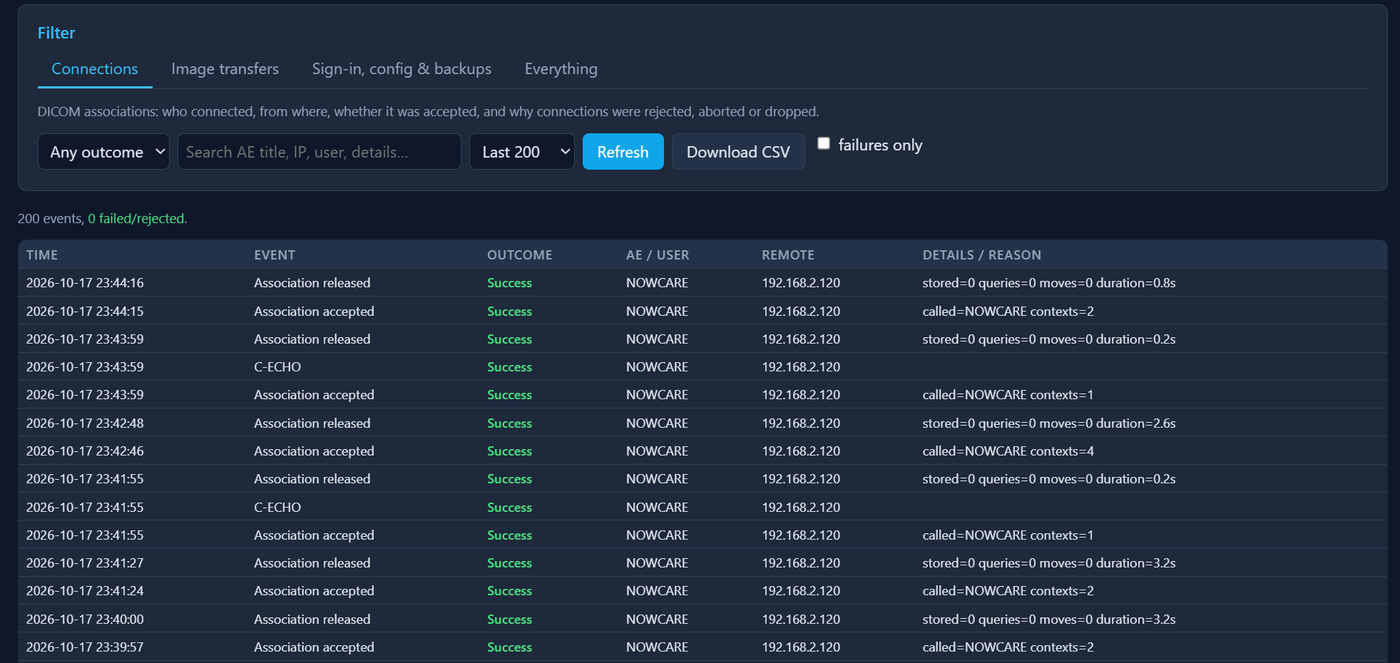
Audit Log: Connections tab (tick 'failures only' to see rejections)
Settings → Security → Association control decides who may connect: untick 'Only accept associations from configured remote nodes' to accept any AE title, and use the allowed / denied IP ranges to limit it to your network. 'Reject associations whose Called AE does not match' keeps misconfigured senders out.
In the console: /settings/security
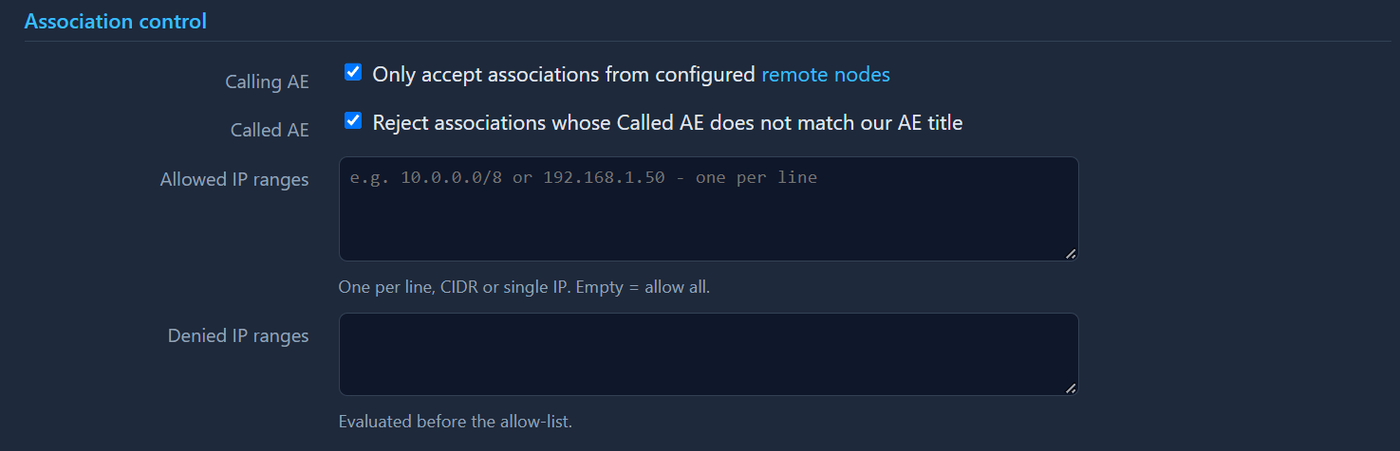
Security settings, association control